What Are Bluetooth Smart Glasses?
Bluetooth Smart Glasses are eyewear that use Bluetooth to connect with a phone or another compatible device. They may deliver calls, audio, voice-assistant access, or notifications through small speakers built into the frames. Some models also include microphones, cameras, or fitness features, but no single feature set defines the category. Check the product specifications.
In everyday use, a wearer might hear a navigation prompt while walking or take a call without reaching for a phone. The experience depends on fit, battery life, phone compatibility, and surrounding noise. Open-ear audio can keep the ears uncovered, yet sound may be harder to hear on a busy street. Small frames also leave limited room for batteries and controls. That matters.
This guide explains how Bluetooth Smart Glasses work, which features are useful, and what to examine before buying. We will distinguish Bluetooth connectivity from smart functions, since the terms can blur together in product listings. Privacy deserves practical attention, too: learn when microphones or cameras are active, and review the manufacturer’s controls. Specs are only part of the story. Comfort after several hours can be difficult to judge from a product page, and battery estimates vary with use. A careful comparison should include both advertised features and small daily inconveniences. These glasses can be helpful, but they are not automatically a better choice than earbuds or ordinary frames.
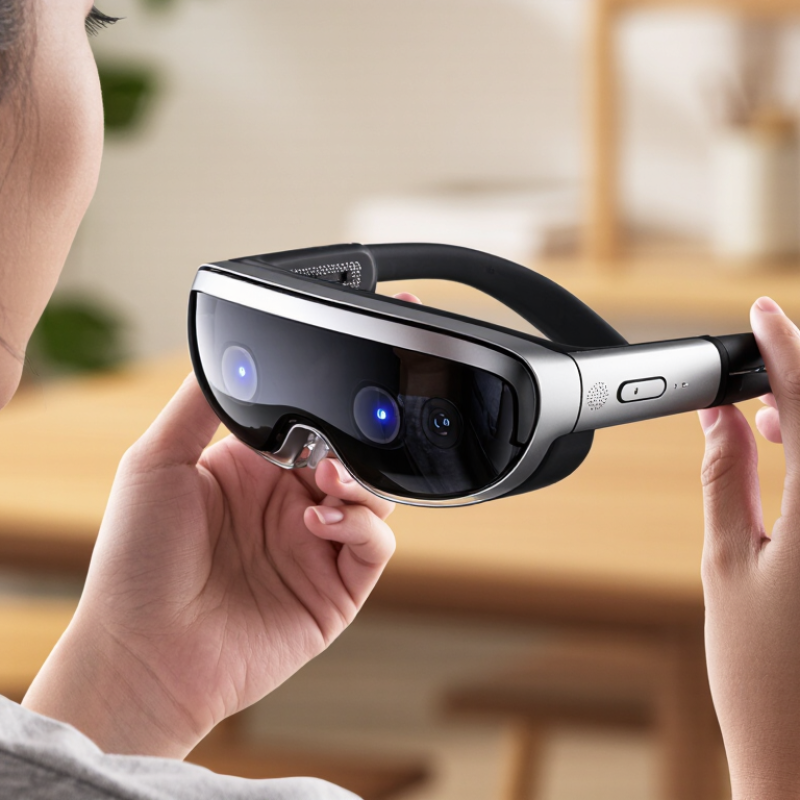
Definition and Core Components of Bluetooth Smart Glasses
Bluetooth smart glasses are eyewear with a Bluetooth radio that connects to a phone or another nearby device. The frame may hold a microphone, small speakers, a rechargeable battery, and touch or button controls. Some models also include cameras, displays, or motion sensors; these are optional, not defining features. The phone often handles demanding tasks, while the glasses capture voice or deliver sound. Small, but essential.
The Bluetooth link carries audio and control signals. A microphone near the frame’s hinge can pick up speech, while open-ear speakers direct sound toward the wearer without sealing the ear. This makes calls and spoken directions practical outdoors, though wind and traffic can interfere. The Bluetooth SIG’s 2024 Market Update forecasts 7.5 billion Bluetooth device shipments annually by 2028. That figure covers the wider device ecosystem, not smart glasses alone; it shows the scale of the underlying connectivity standard, not proof of glasses sales.
Battery and fit matter as much as the radio. A heavier frame may feel tiring after an hour, and tiny batteries limit continuous audio use. Controls should be reachable without a screen, but gestures can be easy to trigger by mistake. Bluetooth also does not guarantee every feature works independently: many glasses rely on a companion phone, its apps, and network access. That dependency is easy to overlook. It is worth checking what still works when the phone is out of range.
How Bluetooth Smart Glasses Connect and Work
Bluetooth smart glasses connect to a phone or tablet over a short-range 2.4 GHz radio link. During setup, you open the device’s Bluetooth settings, select the glasses, and confirm pairing. Afterward, they may reconnect automatically when both devices are nearby. The process is familiar, but menus and controls vary.
Once connected, the phone sends digital audio, such as a navigation prompt or podcast, to the glasses. Their electronics decode the signal and drive small speakers, often positioned near the ears. Many designs keep the ears uncovered, so traffic and nearby conversation remain audible. The trade-off is that sound can leak in quiet rooms. Not ideal for every setting.
For calls, built-in microphones capture your voice and send it back through Bluetooth. Small touch areas or buttons can manage playback and calls; some models also include motion sensors or voice assistants. Battery capacity, distance, walls, and wireless interference affect performance. A few steps away may work well, while a crowded station can cause brief dropouts. Bluetooth is convenient, not magic. Checking microphone permissions and charging the glasses can solve simple connection problems, though occasional glitches still happen.
Common Features and Functions
Bluetooth smart glasses combine ordinary eyewear with wireless audio and, in some models, a camera or voice assistant. Small speakers sit near the temples, directing sound toward the wearer while leaving ears uncovered. This can make a short call or spoken navigation prompt easier to hear while walking. In a noisy street, though, sound may be harder to catch.
Touch or button controls usually handle calls, volume, and voice commands. Some glasses can capture photos or short videos, while others focus on audio and notifications. Features vary by model, and extra functions can mean more charging and setup. Not every feature earns its place.
The Bluetooth SIG’s Bluetooth Market Update 2024 estimates 5.4 billion Bluetooth device shipments in 2023 and projects 7.5 billion annual shipments by 2028. These figures cover Bluetooth devices broadly, not smart glasses specifically, but they show how widely the underlying connection is used. In daily use, Bluetooth links the glasses to a phone for calls, media, or assistant access. Check microphone clarity, battery life, and control comfort before relying on them; even a small button can feel awkward when you are wearing gloves.
Everyday and Professional Uses
Bluetooth smart glasses connect to a phone and add audio, calls, or voice controls to ordinary-looking frames. Their value often appears in small routines, not dramatic demonstrations. A spoken reminder can help while cooking, and open-ear audio can make a walking route easier to follow. Small details matter.
At work, hands-free access can reduce interruptions. A technician might hear a checklist while inspecting equipment, or a delivery worker could take a call without reaching for a phone. In training, spoken prompts may help someone follow a repair sequence while keeping both hands available. These tools are not a substitute for clear procedures. Noisy rooms can make audio hard to hear, and voice commands may misread names or instructions.
Everyday use has trade-offs, too. Frames need to fit comfortably for hours, and frequent calls or audio playback can drain the battery sooner than expected. Some models include cameras; users should be considerate about when and where they capture images. Bluetooth glasses can also feel awkward in a quiet meeting. That part is easy to overlook. Choosing a pair means weighing convenience against comfort, sound quality, battery life, and the habits of the people nearby.
Bluetooth Smart Glasses: Everyday and Professional Uses
Bluetooth range can affect how freely you can move while using smart glasses for calls, audio, navigation, or hands-free work.
How to read this chart: The bars show conventional nominal ranges for Bluetooth power classes. Actual range depends on device design, obstacles, and radio interference; the power class of smart glasses varies by device.
Types, Limitations, and Selection Factors
Bluetooth smart glasses connect to a phone for calls, audio, or other features. Audio-first models place small speakers near the ears, while camera-equipped styles capture photos or support voice-based tools. Display-enabled glasses add visual information, but often cost more and need careful setup. These categories overlap, so check the actual feature list rather than relying on labels.
The Bluetooth SIG’s 2024 Market Update projects 5.4 billion Bluetooth device shipments annually by 2028. That figure covers many product types, not glasses alone.
Grand View Research estimated the global smart-glasses market at 1.93 billion US dollars in 2023 and forecast 27.3% annual growth from 2024 to 2030. Growth forecasts do not prove that every design suits daily use.
Selection comes down to fit, battery life, microphone quality, and phone compatibility. Try the frames for several minutes; pressure at the temples can become distracting. Comfort matters. Open-ear speakers may leak sound in quiet rooms, and camera or display features can shorten battery life. Ask how controls work with gloves, how calls sound outdoors, and whether the glasses still help when your phone is out of reach. A common mistake is paying for features that rarely leave the menu.