
Home Automation is rapidly gaining traction in modern households. According to a report by Statista, the market for smart home devices is projected to reach $174 billion by 2025. This growth reflects a rising interest in technology that enhances convenience, security, and energy efficiency. As families seek smarter living solutions, understanding how to start home automation becomes essential.
Embracing home automation involves integrating devices that can communicate with each other. This technology can manage lighting, heating, and security systems efficiently. However, many homeowners face challenges when deciding which devices to start with. For instance, ensuring compatibility between devices can be frustrating. Thus, careful research is crucial.
Experts suggest beginning with a central hub that coordinates various devices. This strategy provides flexibility and scalability. Also, consider setting specific goals for your automation project. This approach helps avoid unnecessary expenses on gadgets that may not serve your needs. As you embark on this journey, reflect on what “smart” truly means for your home.
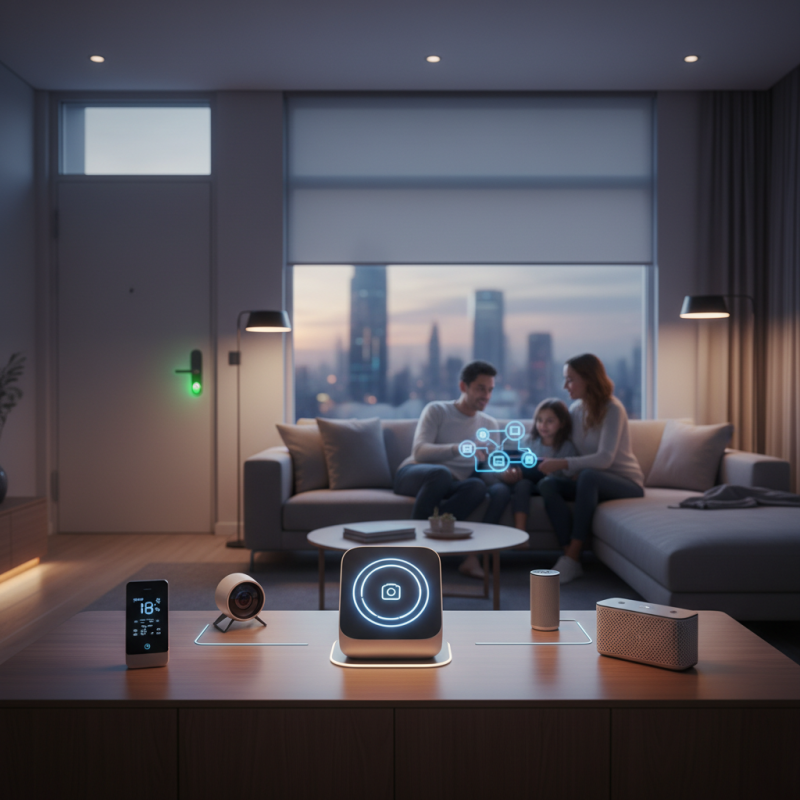
Home automation is an exciting field that offers innovative solutions for modern living. At its core, it enables you to control your home environment using smart technology. This can range from simple tasks like turning lights on and off to more complex systems that manage your home’s heating and security. The benefits are tangible: increased comfort, improved energy efficiency, and enhanced security.
As a beginner, you might feel overwhelmed by the myriad of options available. Start with essential devices such as smart bulbs or plugs that can be easily set up. These devices can be controlled remotely via smartphone apps, making life more convenient. However, it’s essential to recognize that not every gadget will suit your lifestyle. Consider functionality and usability. Sometimes, even those fancy devices require tinkering to work well together.
Connecting everything can be daunting. Incompatibilities between devices can frustrate even the most patient users. Aim for simplicity when starting out. Focus on a few critical areas, like lighting and security. This approach allows for incremental improvements and learning along the way. Always stay informed about user experiences in the community, as these insights can guide you toward making better choices.
Starting a home automation journey requires careful consideration of essential devices. For a basic setup, smart hubs are crucial. They serve as the brain of your home automation system. A reliable hub can connect various devices seamlessly. Choose one that supports popular communication protocols, such as Zigbee or Z-Wave. This will ensure compatibility with a wide range of products.
Smart lighting is another important element. Replace traditional bulbs with smart ones. These allow remote control and scheduling through an app. Lighting can be adjusted based on your routine. However, many people overlook the placement of lights for optimal effect. Testing dimming options can also improve ambiance significantly.
Security devices play a vital role, too. Smart cameras and doorbells enhance home safety. They can alert you to movement in real time. However, remember that adding many cameras might lead to privacy concerns. Balancing security and privacy can be challenging. Assess your needs carefully before proceeding.
Choosing the right smart home hub is crucial for an effective home automation setup. A hub acts as the central control point for your devices. It ensures seamless communication between various smart gadgets. With different types available, selecting the right one can be daunting. Consider the specific features you need. Some hubs support a broader range of devices, while others focus on a few.
Compatibility is a key factor when choosing a hub. Check which devices work best with it. A hub that supports Wi-Fi, Bluetooth, and Zigbee can cover many options. Think about future expansion. You might want to add more devices later. Not all hubs allow this easy upgrade. Reflect on your needs versus what the hub offers. Some features may seem attractive, but may not be essential for your lifestyle.
User interface matters too. A complex interface can make controlling your home frustrating. A simpler design can enhance the experience. Read reviews from credible sources to gauge reliability. Users often share real-life experiences of the hubs they chose. Learning from others can prevent mistakes in your purchase. However, remember that what works for someone else might not suit you perfectly. Balancing your specific needs with different hub capabilities is vital for creating a truly smart home.
| Hub Type | Compatibility | Features | Price Range | Ease of Use |
|---|---|---|---|---|
| Zigbee Hub | Zigbee devices, some Wi-Fi | Low power consumption, quick response | $50 - $150 | Moderate |
| Z-Wave Hub | Z-Wave devices | Mesh network, reliable connection | $75 - $200 | Moderate |
| Wi-Fi Hub | Wi-Fi devices | High compatibility, no additional hub for Wi-Fi devices | $30 - $100 | Easy |
| Hubless Solutions | Various smart devices with their own apps | Flexible setup, no central hub | Free - $300 | Easy |
Home automation is becoming increasingly popular. According to industry reports, the smart home market is projected to reach $174 billion by 2025. Installing smart devices can seem overwhelming, but breaking it down into manageable steps makes it easier.
Begin with the planning stage. Identify areas in your home that need automation. Common choices include lighting, temperature control, and security. Look into compatible devices that fit your home’s network and take note of installation requirements. Ensure your home Wi-Fi can support multiple devices. Smart assistants can often integrate these systems, but selecting the right one can take time. Research shows that over 30% of users faced connectivity issues during setup.
Next, it's time for installation. Start small with a single device, like smart bulbs. Follow the manufacturer’s guidelines closely. Users often overlook details such as power sources and compatibility, leading to frustration. Testing connectivity will help prevent future issues. Monitor how well the device communicates with your smartphone or smart assistant. If you notice delays or disconnections, reconsider your network setup. As you expand, keep in mind that not all setups will work seamlessly. You may need to adapt your plan as you gather feedback from your devices and your home's architecture.
Creating automation routines is essential for a seamless smart home experience. Start by identifying daily tasks that can be automated. For instance, consider scheduling your lights to turn on at sunset. It’s a simple way to enhance security and convenience without manual effort.
Tips: Use easy-to-navigate apps. Keep your routines straightforward. Avoid overly complicated automations that may lead to frustration.
Integrate voice control with your smart devices. This adds an extra layer of accessibility. Imagine telling your system to dim the lights while watching a movie. The experience becomes immersive and enjoyable. However, don’t underestimate the learning curve.
Tips: Test your routines regularly. Adjust settings as your needs change. It’s common to encounter glitches, so stay flexible. Focusing on gradual improvements makes automating your home rewarding. Each routine should add value to your living space.
1901 West Main Street
Washington, MO 63090
Main Directory: 1-800-227-4873
Email: sale@pangcofurniture.com

We’re always looking for talented individuals to join our team. Send us your resume using the form below. When a position comes available that matches your skillset, one of our team members will reach out to you.
"*" indicates required fields