Why Choose UV Ink for Screen Printing?
Screen Printing Uv Ink attracts attention for good reason: it cures quickly under ultraviolet light and can form a durable print on suitable materials. On a busy press, that can mean less waiting between colors and faster handling after curing. A crisp logo on a plastic panel or a smooth graphic on coated stock shows the appeal. Yet results depend on the ink, substrate, lamp output, mesh, and press settings working together.
Screen-printing consultant Mark Coudray is associated with practical, process-focused guidance. An editorial paraphrase, not a verbatim quotation, captures a useful principle: “Test the complete process on the actual substrate before approving a production run.” That advice is plain. It is also easy to skip when schedules tighten. A small test print can reveal poor adhesion, weak cure, or unexpected color shifts before a full run begins.
UV ink is not magic. Some substrates need careful preparation, and a fast cure does not guarantee a strong bond. Operators should follow the ink maker’s technical data, verify curing conditions, and assess prints after cooling and handling. Keep records of lamp settings, line speed, and test results. That makes repeat jobs easier to troubleshoot. There is a trade-off, too: equipment and ink choices may add cost, and the right setup varies by job. A controlled trial is still the best starting point.
What Is UV Ink in Screen Printing?
UV ink is a liquid screen-printing ink that hardens when exposed to ultraviolet light. It contains pigments, reactive components, and a photoinitiator. The photoinitiator responds to UV energy and starts a rapid chemical reaction, linking the liquid components into a solid film on the substrate. No long oven-drying stage is needed. The printed surface can feel dry within seconds, though curing depends on the lamp and ink combination.
RadTech’s UV/EB curing technical guidance describes many UV formulations as approaching 100% solids. In practical terms, little or no liquid carrier needs to evaporate to form the cured layer. That can mean less shrinkage and faster handling, but “100% solids” does not guarantee a perfect print. A thick ink deposit, dark pigment, or poorly matched lamp may block or limit curing beneath the surface. A fingernail test is not enough to confirm full cure.
On press, the operator should match the ink’s recommended wavelength and dose to the curing unit, then test adhesion on the actual material. A glossy plastic sheet and a rough paper stock behave differently. That detail is easy to overlook. UV ink can also become brittle if the cured film is too thick or the substrate flexes sharply. I would treat curing settings as a starting point, not a universal recipe.
How Does UV Ink Curing Work?
UV ink does not cure by losing water or solvent. It hardens when ultraviolet light activates photoinitiators in the ink. These compounds create reactive particles that link the ink’s liquid components into a solid polymer film. The change can happen in seconds. Still, “instant” is not guaranteed.
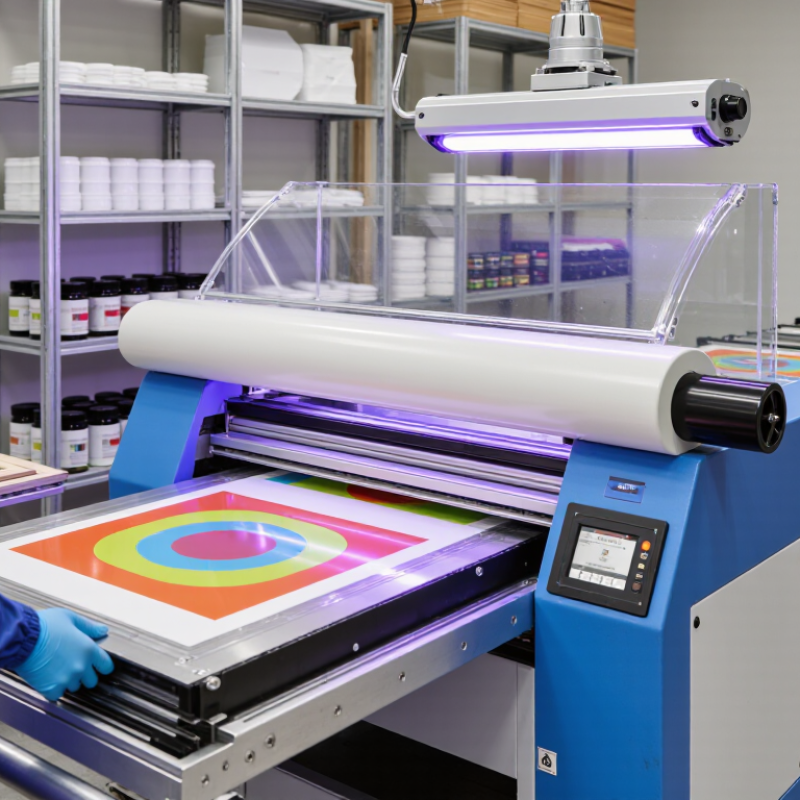
In screen printing, a lamp shines on each printed layer as it passes beneath the light source. The correct wavelength and energy dose matter, along with ink thickness and the substrate. A dense deposit or a shadowed area may receive too little exposure and remain tacky beneath the surface. Operators often check adhesion with a practical test, such as applying tape to a fully cooled print. Results can vary, so one test is not proof of every condition.
A crisp edge is useful. But curing needs care. Too much exposure can affect heat-sensitive materials, while too little can weaken the bond. Keep the lamp clean, confirm its output, and follow the ink supplier’s technical guidance. I would not assume a print is fully cured just because it feels dry; that shortcut can be misleading. Proper shielding and ventilation also matter around UV equipment.
Why Choose UV Ink for Screen Printing? How Does UV Ink Curing Work?
UV ink cures when photoinitiators absorb UV light and trigger polymerization, turning the liquid ink into a solid film. Photon energy is calculated using E = hc/λ; the wavelength must also match the ink’s photoinitiator system for effective curing. Actual cure performance depends on factors such as lamp intensity, exposure time, ink formulation, and substrate.
Photon energies shown are calculated values for representative UV-A wavelengths.
What Benefits Does UV Ink Offer?
UV ink offers a practical advantage in screen printing: it cures under ultraviolet light instead of waiting for air-drying. Once the printed sheet passes beneath a suitable lamp, the ink can become touch-dry within seconds. That can reduce smudges during handling and keep production moving. Less waiting. For a shop printing bright graphics on plastic or coated stock, quick curing may also mean fewer racks filled with work in progress. Fine lines and small text can stay sharp when the screen, ink deposit, and curing settings are well controlled.
The benefits depend on the job. UV ink can produce vivid color and a durable surface, but it does not solve poor preparation. Dust, an unsuitable substrate, or incorrect lamp settings can lead to weak adhesion or incomplete curing. A simple tape test on a sample can reveal problems before a full run. I would not assume every material behaves the same; even two coated sheets may respond differently. Operators should follow the ink supplier’s technical guidance and use appropriate shielding and ventilation around curing equipment. The faster workflow is useful, though it still calls for careful testing.
Why Choose UV Ink for Screen Printing? - What Benefits Does UV Ink Offer?
| Dimension | What UV Ink Offers | Practical Consideration |
| Curing speed | UV exposure triggers a rapid curing reaction, so prints can be ready for handling soon after passing through a suitable curing unit. | Actual cure time depends on the ink, lamp type and output, print thickness, color, and line speed. Confirm cure before stacking or further processing. |
| Production workflow | Rapid curing can reduce the need for long drying intervals and large drying areas in suitable production setups. | A compatible UV curing system is required, and its capacity must match the press and production volume. |
| Substrate range | Formulations are available for materials such as certain plastics, metal, glass, and coated surfaces, as well as other application-specific substrates. | There is no universal UV ink for every material. Check ink compatibility, surface energy, and adhesion; cleaning or surface treatment may be needed. |
| Print handling | Once properly cured, the ink film can be handled without waiting for conventional air-drying or solvent evaporation to finish. | Handling readiness does not by itself guarantee adhesion, flexibility, chemical resistance, or suitability for the end use; test the finished print. |
| Solvent emissions | Many UV-curable inks are formulated with little or no volatile solvent, which can reduce solvent-related emissions compared with some solvent-based inks. | Formulations vary. Review the product safety data sheet and local requirements; cleaning products and other process materials may still contain solvents. |
| Energy and equipment | The curing process can be integrated directly into a printing line, supporting a compact workflow where the equipment is appropriately configured. | Energy use depends on lamp technology, power settings, line speed, and operating practices. UV curing does not automatically use less energy than other methods. |
| Worker safety | A properly designed, enclosed curing setup can help control exposure to UV light during normal operation. | Uncured ink may irritate or sensitize skin. Follow the safety data sheet, use appropriate protective equipment, and avoid direct exposure to UV radiation. |
Which Materials and Applications Suit UV Ink?
UV ink is often a good fit for smooth, non-porous materials such as glass, coated metal, and selected plastics. It cures under ultraviolet light, forming a surface film rather than drying through absorption. That can help produce crisp graphics on bottles, control panels, signs, and display parts. The result depends on the ink formulation and the surface. Polypropylene and polyethylene, for example, may need surface treatment to improve adhesion. Always check compatibility before committing to a production run.
Tips: Print a small test first. Let it cool, then check adhesion with a suitable tape test and inspect the image under normal use conditions. Confirm that the lamp delivers the required UV energy; a fast-moving line can still leave ink under-cured. Keep records of settings and substrate batches.
UV ink can also work on paper and board when the coating, finish, and intended use are suitable. It is useful for packaging, labels, and promotional graphics where sharp detail and quick handling matter. For flexible films or items that bend repeatedly, test for cracking and rub resistance. I would not assume one successful sample proves long-term performance. Temperature, cleaning, and repeated handling can change the outcome, and some surfaces need extra preparation.
What Factors Should You Consider Before Choosing UV Ink?
Why Choose UV Ink for Screen Printing?
What Factors Should You Consider Before Choosing UV Ink?
Before choosing UV ink, check whether your press has a compatible UV curing unit. The ink must receive enough energy to cure across the printed area, not just at the center. A handheld test can reveal tackiness, but it may not show uneven curing on a full sheet. That detail is easy to overlook.
Substrate compatibility matters just as much. Glass, coated plastics, and paper can respond differently, so test adhesion on the actual material and allow time for the ink to cure. Consider the finish, too: a thick deposit may look vivid but feel less suitable for fine lettering. Review screen mesh, stencil compatibility, cleanup needs, and the ventilation and handling guidance on the ink’s safety data sheet. Small setup changes can affect results.
Tips: Print a small test run first. Check adhesion with a consistent method, and inspect both fine lines and solid areas. Record curing settings and substrate details. Results can vary between batches, so keep a sample for comparison.